iOS 27 for Apple Home, Matter 1.6, and Shelly Flood S Gen4
This week in smart home: At WWDC, Apple brings power metering and 4K cameras to Apple Home, Matter 1.6 adds Joint Fabric and NFC setup, plus a low-profile water sensor and an outdoor camera
This week was all about WWDC. With iOS 27, Apple showed several Apple Home updates at once: plugs with metering now reveal their power consumption, cameras support 4K for the first time, and notifications are bundled together. Alongside it, the Connectivity Standards Alliance released Matter 1.6, with Joint Fabric, NFC commissioning, and a few provisional features. In brief: the low-profile Shelly Flood S Gen4 water sensor and the SwitchBot Outdoor Pan & Tilt Cam 3K. Plus a video on WWDC and a tip on how to adjust existing automations with Controller AI instead of rebuilding them.
iOS 27: Power Consumption and 4K Cameras in Apple Home

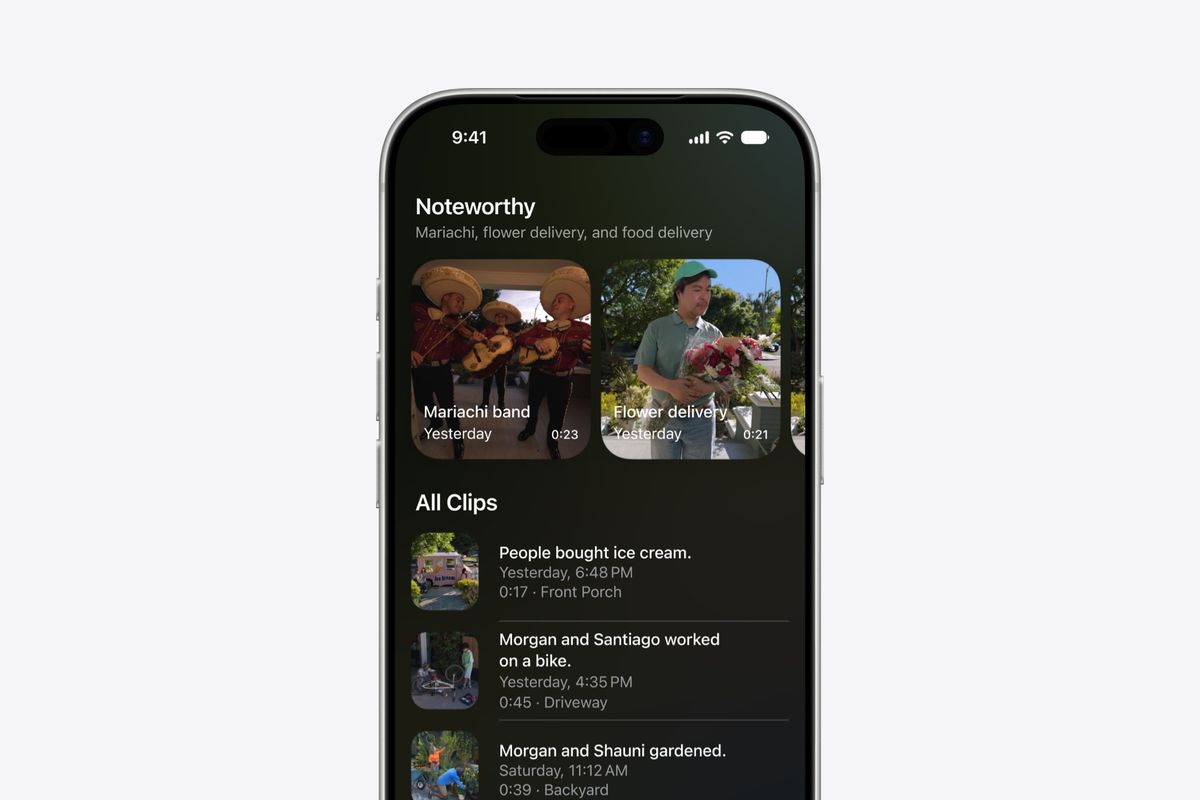
At WWDC, Apple showed the Apple Home updates coming in iOS 27. Plugs with Matter 1.3 and built-in metering will display their power consumption going forward, both individually and as a total in the new Electricity category as well as via a home screen widget. Cameras support 4K for the first time, in both the live view and recordings, and a reworked overview screen allows quick camera switching and shows a timeline of all recordings on the left. Apple also bundles notifications from multiple devices so you get distracted less often. Consumption data cannot yet be used in automations, and the Siri recording features will not launch in Germany at first.
Matter 1.6: Joint Fabric and NFC Commissioning

The Connectivity Standards Alliance has released Matter 1.6. The headline feature is Joint Fabric: multiple controllers access the same data, so a device set up through Apple Home is automatically available in Google Home too, without separate Matter networks. New as well is commissioning via NFC, for the first time entirely without Bluetooth, which helps especially with hardwired devices like ceiling lights. Provisional features include Groupcast for switching device groups simultaneously, enhanced motion detection, and three-tier temperature alerts.
Worth Watching: Apple Home at WWDC 2026
Shane Whatley walks through the Apple Home announcements from WWDC 2026 and explains what is new, what still works, and what is missing from this year's update.
In Brief
Shelly Flood S Gen4: Low-Profile Water Sensor with Matter

The Shelly Flood S Gen4 detects even the smallest amounts via three sensor pads and also reacts to low-conductivity water such as condensation. At just 24 mm tall it fits under appliances and also warns via light and sound. It connects via Matter over WiFi or Zigbee and works in Apple Home natively or through a Zigbee hub. It is available now for 20 dollars.
SwitchBot Outdoor Pan & Tilt Cam 3K Without Apple Home
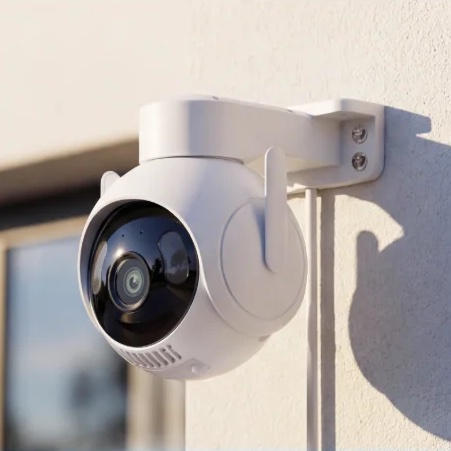
The SwitchBot Outdoor Pan & Tilt Cam 3K offers 360 degree pan, 3K with full-color night vision, and IP66. The catch: it supports neither Apple Home nor Matter and only works through the SwitchBot app or via RTSP. For Apple Home households it is therefore only interesting through workarounds. It costs 97 dollars regularly and is currently available for 65 dollars.
Tip of the Week: Adjust Automations with Controller AI
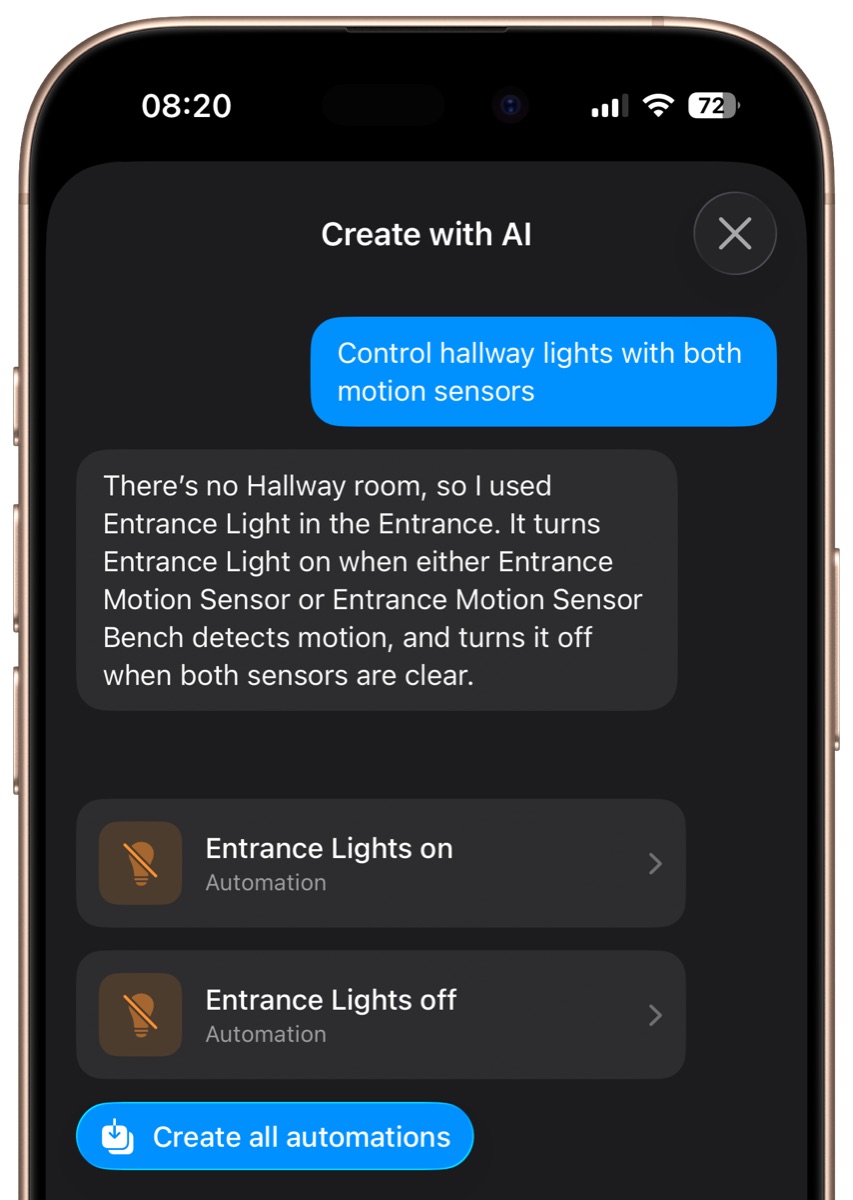
With Controller AI you do not have to build an automation from scratch when it is not quite right yet. You can select an existing Apple Home scene, automation, or Controller workflow and simply describe what should change, for example "only turn on the light after sunset" or "add the hallway sensor as well". Controller AI then adjusts the right devices and conditions on its own, without you having to click through every setting.
Disclosure: Links marked with * are advertising (affiliate links). If you purchase through these links, we receive a small commission. The price for you remains the same.