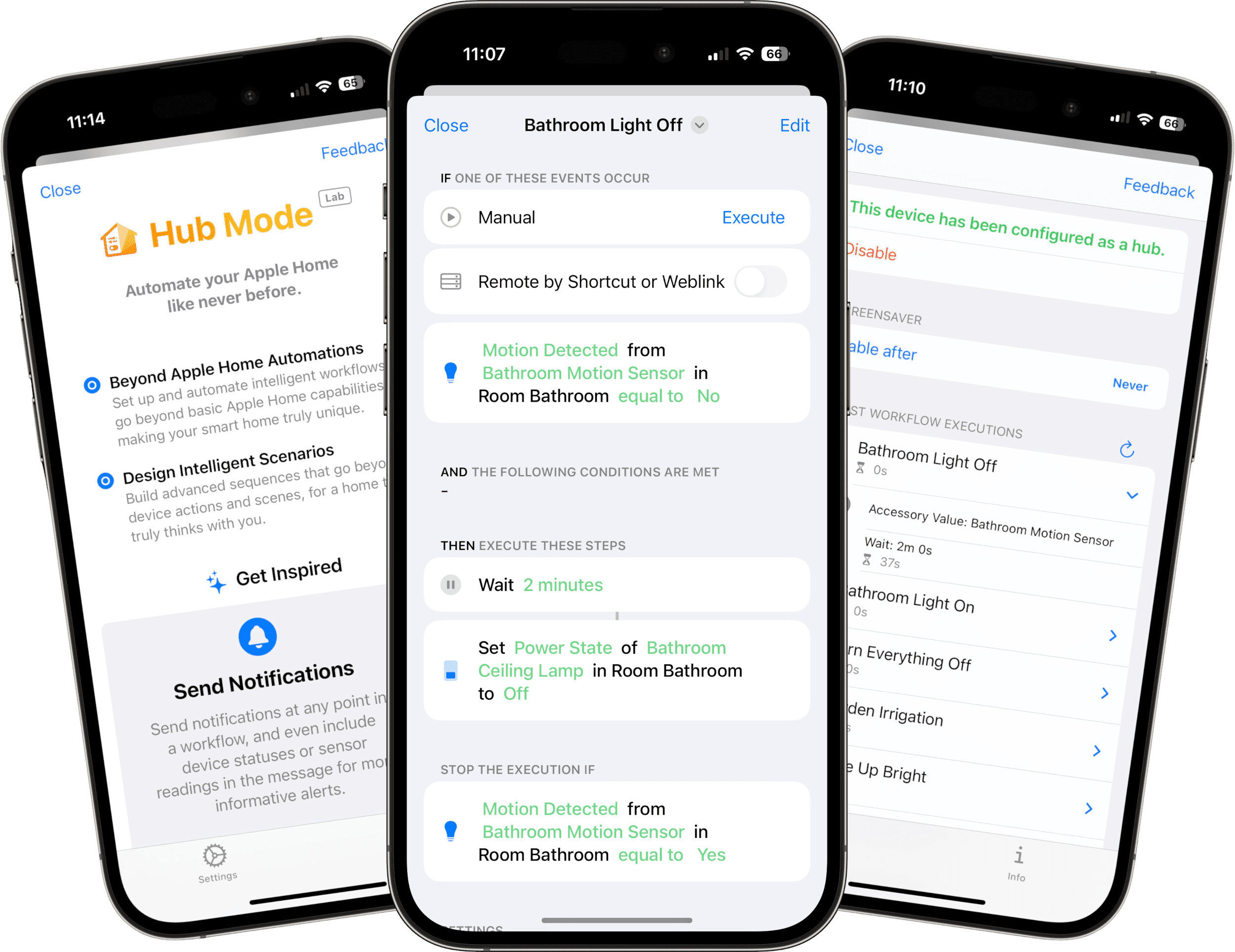
Controller Hub
The core of Controller Plus: on a dedicated device, Workflows run automatically, chart history is recorded continuously, and States stay available.
Learn more
See more. Understand more. Automate more.
Controller Plus adds the capabilities that turn a good Apple Home setup into a system that is smarter, more reliable, and easier to optimize over time.
Upgrade nowController Hub is the core - and with Workflows, Charts, and States, Controller Plus reaches its full potential.
The core of Controller Plus: on a dedicated device, Workflows run automatically, chart history is recorded continuously, and States stay available.
Learn more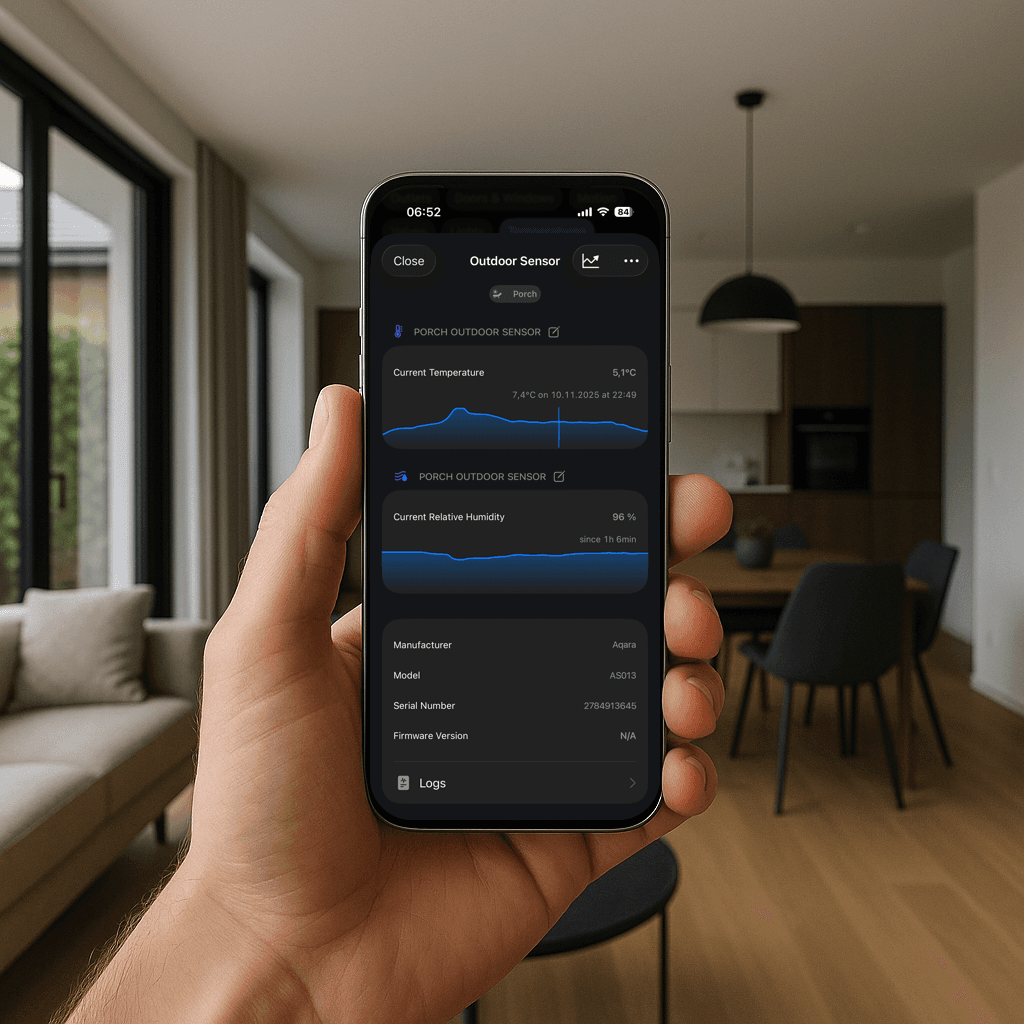
See trends instead of snapshots and quickly understand what is actually changing in your home.
Learn more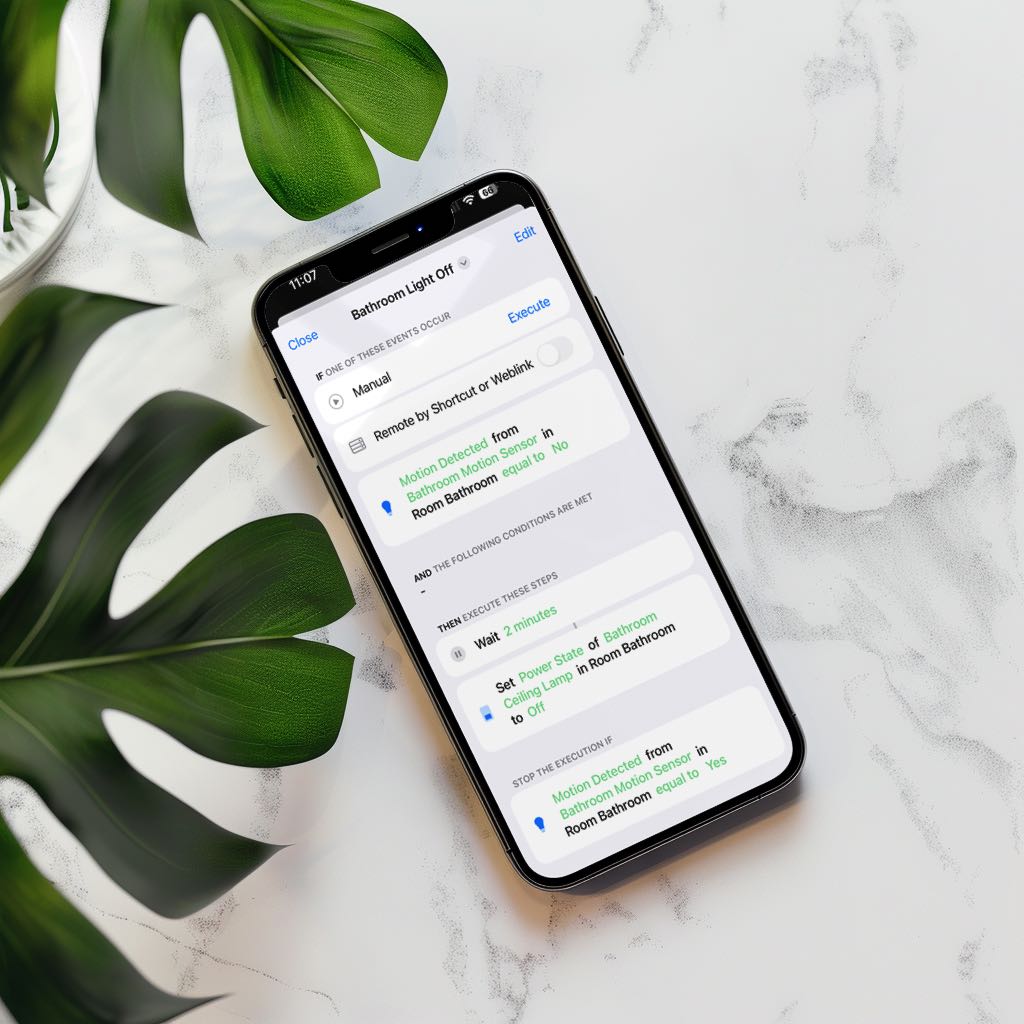
Build precise flows with conditions, timers, and branching logic far beyond classic Apple Home automations.
Learn more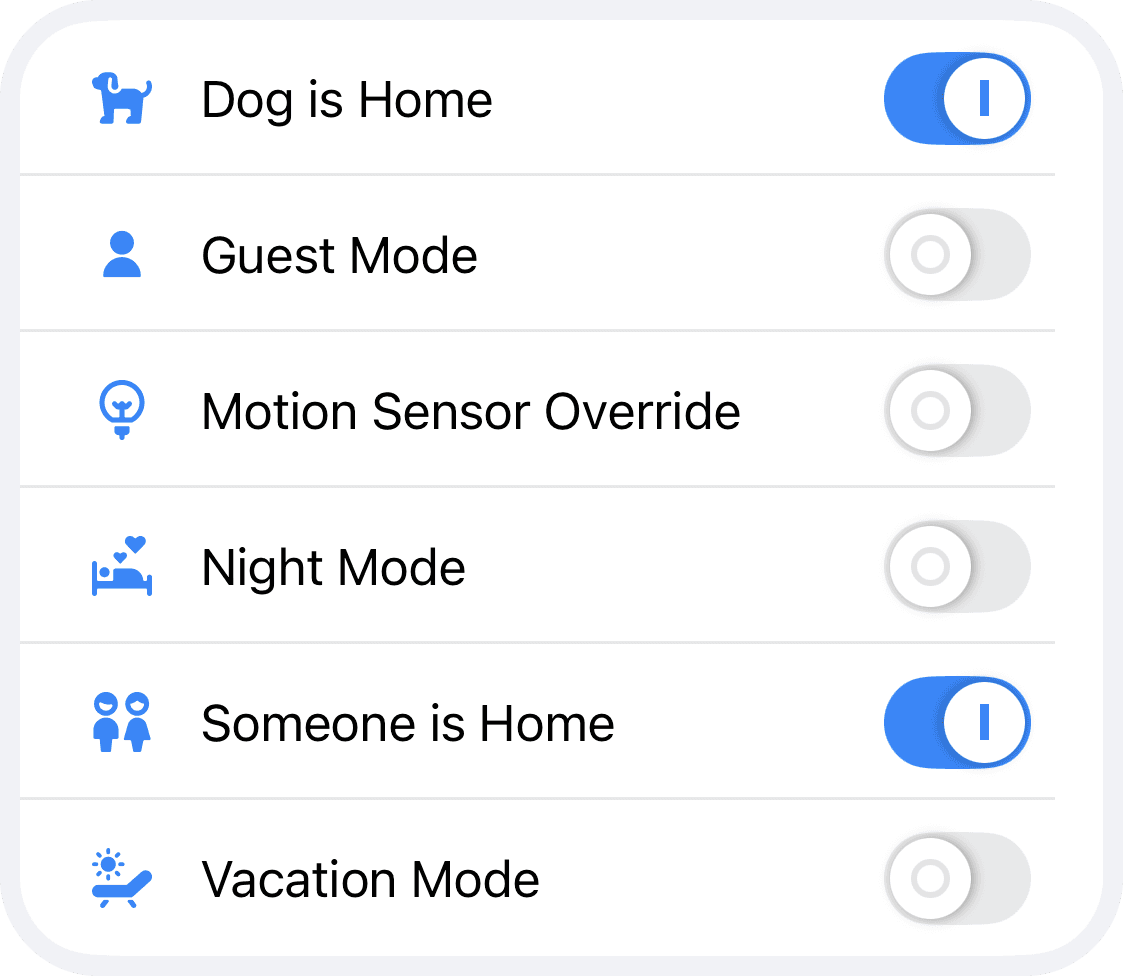
Store shared states across workflows and use them as a central memory for complex automation logic.
Learn moreFoundation for all features
Workflows, Charts, and States are built on top of an active Controller Hub.
Use a dedicated iPhone, iPad, Apple TV, or Mac and keep Controller running in the foreground.
Dedicated device
A separate device gives you stable, uninterrupted execution.
Always active
Keep Controller in the foreground so no history or triggers are missed.
Continuous history
This is what makes chart trends reliable and useful over time.
Background states
States stay available across workflows even when no primary iPhone is actively in use.
Included with Plus
Understand how your Apple Home behaves across hours, days, and weeks.
Track temperature, humidity, motion, contact state, air quality, and many other signals as a continuous timeline.
This gives you a clear foundation for better comfort, reliability, and energy decisions.
Climate & Air
Security & Status
Devices & Energy
Position & Openings
Automation at pro level
Workflows are Controller’s advanced automations with deeper logic, richer timing control, and more context.
With Controller Plus, you can combine conditions, sequencing, and reactions in one coherent flow instead of maintaining many fragile single rules.
The result is less maintenance, fewer failures, and a noticeably smarter home behavior.
Learn moreReal If/Else logic
Make different decisions within one flow instead of duplicating automations.
Timers, delays, loops
Control sequences over time with precise repetition and pacing.
Context-rich notifications
Send meaningful alerts with real values when something relevant happens.
Central state logic
States store important context centrally and make it reusable across workflows, conditions, and actions.
This lets you build robust logic that depends on real home context instead of isolated triggers.
In larger setups, States make rules easier to understand, more consistent, and simpler to maintain.
Reusable across workflows
A single State can be used as trigger, condition, or action in multiple workflows.
Set manually or automatically
Update States via workflows, shortcuts, URLs, or directly inside the app.
Clear mode control
Model modes like Guest, Vacation, or Night clearly and apply them system-wide.
Upgrade to Controller Plus and bring structure, history, and real logic to your setup.
Upgrade now