Ceiling light
Dashboards
Build your own dashboard.
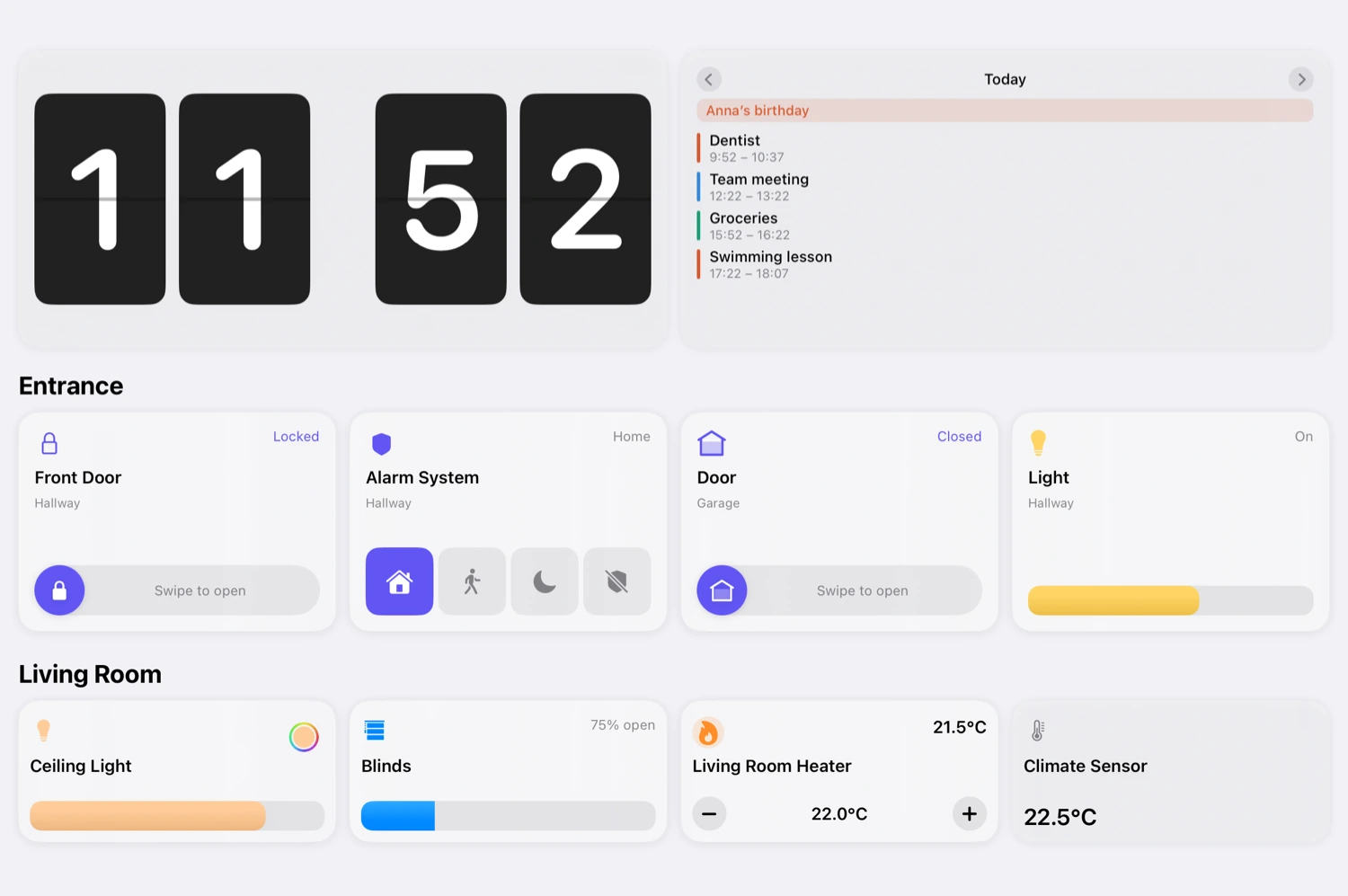
Build it from tiles, with exactly what you need: pick them, choose a size, drag them into place. Everything that matters at a glance.

Tiles
More than 25 tile types to choose from.
Tiles control devices, show readings or bring their own content: a clock, a chart, a camera feed. Every one comes in five sizes, from Mini to Large, so what matters gets room and the rest stays small. Every device in your Apple Home gets its tile, whether it was added over HomeKit or Matter.
- Light
- Switch
- Slider
- Mode
- Thermostat
- Curtain
- Lock
- Fan
- Valve
- Security
- Camera
- Group
- Device property
- Sensor
- Scene
- Workflow
- State
- Clock
- Calendar
- Reminders
- Weather
- Value
- Chart
- Battery warnings
- Controller Hub
- Floor plan
- Room
- Text
- Open view
And many more
Examples
Six ideas for your home.
A dashboard for every wall, every room and everyone in the house. This is how yours could look.
Smart sections
Sections that fill themselves.
Instead of picking individual devices, you set a rule. Everything that matches shows up on its own, including the lamp you add next month. A section for every light that is on stays up to date without you ever touching it again.
Lights on
Every light that is currently on
Visibility
Tiles that appear only when you need them.
Make tiles depend on the time, weekday, date, sun position, weather, calendar, states or the value of a device. It works for a single tile just as it does for a whole section.
They are the same conditions as in your workflows.
Living room
18.0 °C
- Ceiling light65 %
- Good Morning
- Appears from 23 °C
On the wall
The control center for the whole house.
Front door and alarm, lights, blinds and heating: big enough for everyone in the house to use in passing.
Action button
One press, your dashboard.
Put a dashboard on your iPhone's Action button. Press and hold it, and your dashboard opens right away, from any app.
On iPhones with the Action button, from iOS 18. The same works in Control Center and on the Lock Screen.
More about widgets and controlsPer device and per person
Every view where it belongs.
On the right device.
Dashboards run on iPhone, iPad and Mac. For every dashboard you choose which devices it appears on: the full control center on the wall, and on your iPhone only what you really need on the go.
For the right person.
When you invite someone to Controller, you share exactly the dashboards meant for them. The others stay hidden from them, and only you can edit dashboards.
More about Home SharingCreate with AI
Let AI build your dashboard.
One sentence is enough. Controller creates the sections and tiles. The result is ready to use straight away and stays fully editable.
More about AI in ControllerDescribe your dashboard
All lights and b
Result
Lights
Floor lamp
Blinds
70 % open
Blind
2 sections, 3 tiles
Frequently asked questions
iPhone, iPad and Mac. Apple TV and Apple Watch do not have dashboards. For the Watch you put together your own Watch screens instead.
No. Dashboards are included in Essentials, Plus and Lifetime.
Yes. Every device in your Apple Home gets a tile, whether it was added over HomeKit or over Matter.
Yes. When you invite someone to Controller, you decide which dashboards that person sees. Only you can edit the dashboards.
Yes, when the iPad runs as your Controller Hub. You set its timer in the Controller Hub settings. Controller Hub is part of Controller Plus.
Your home. Your view.