Home Sharing
Share your home with your family.
You decide what your family sees of Controller: the whole setup with dashboards, workflows, floor plans, smart folders, widgets and watch views, or only individual dashboards. Changing it stays with you.

- Ceiling light
- Thermostat
- Front door
- Blind
Dashboards · Workflows · Floor plans · Widgets
- Front door
- Floor lamp
- Thermostat
- Ceiling light
Dashboards · Workflows · Floor plans · Widgets
- Ceiling light
- Blind
- Floor lamp
- Thermostat
What is included
Everything you set up.
What moves across is not access to the accessories, it is the work you put in. Whoever joins finds your home exactly as you arranged it and as you intended it for them, with nothing to rebuild.
- Icons, names & aliases
- Sort orders & favourites
- Dashboards
- Workflows
- Smart folders
- Floor plans
- Widgets
- Watch views
Roles
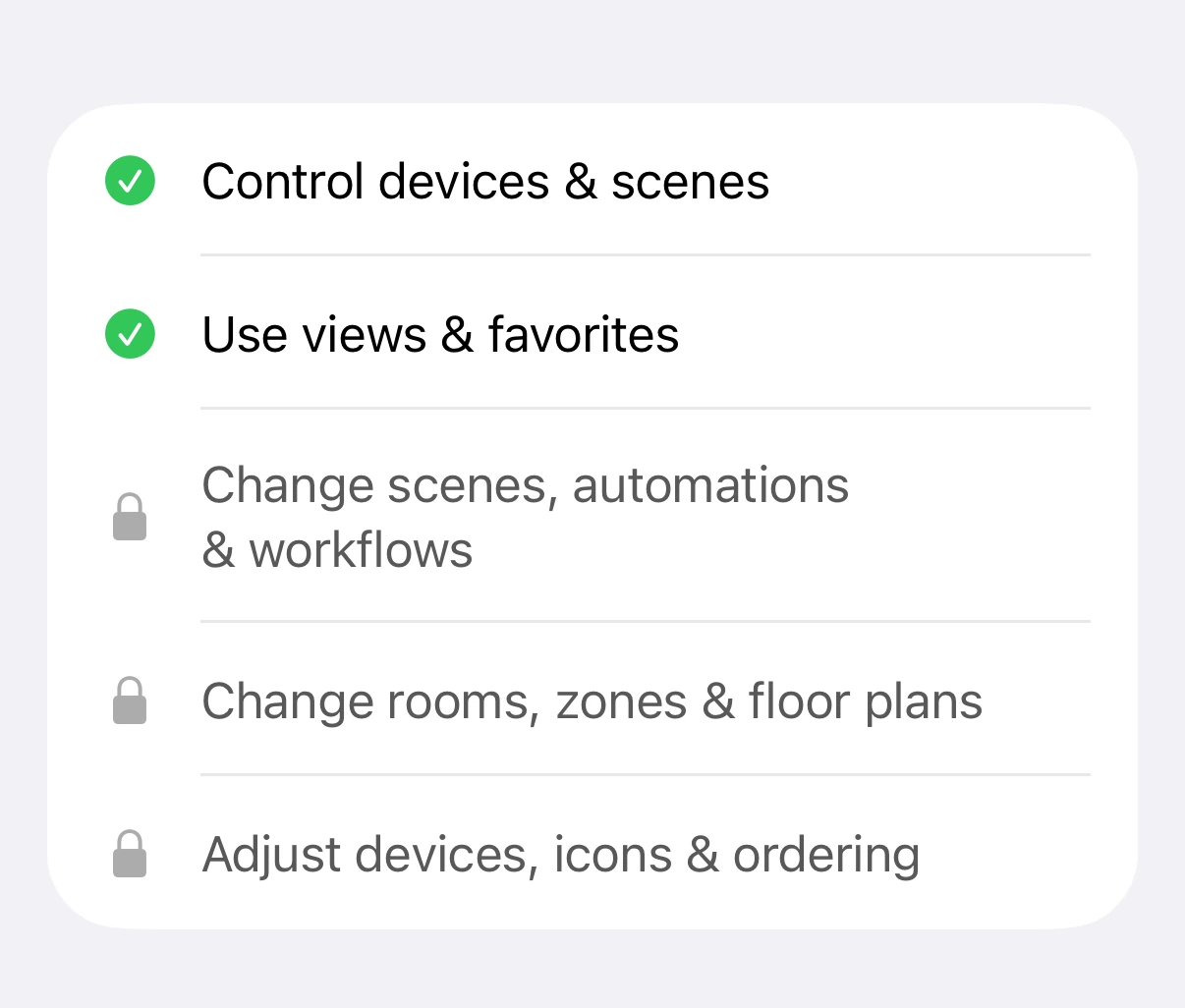
Everyone can use it. Only you can change it.
Everyone may operate it, only you may rearrange it. That split is why you can share a home without second thoughts: nobody reorganises your setup, neither by accident nor out of curiosity.
Two options
The whole app, or only the dashboards.
For each person you decide: the whole setup with dashboards, workflows, floor plans and widgets, or only the dashboards you release to them. For anyone who only gets the dashboards, they are the whole app: no menu, no settings, nothing that gets changed by accident.
Released dashboards
- Homenot shared
- Living Roomshared
- Energyshared
Released dashboards
- Homeshared
- Living Roomnot shared
- Energynot shared
An example
A dashboard for your child.
You invite your child and build them a view of their own: the light and the blind in their room, the family calendar – and the front door, so they can get in after school without a key. No cameras, no automations, no settings to knock out of shape.
On your child’s iPhone that one dashboard is released – their own Apple Account, their own device. Changing it stays with you.
Ceiling light
Blind
Family calendar
- Swimming, 4:00 pm
- Grandma visits, 6:30 pm
Front door
On your child’s iPhone
Invitations
Invite. And take it back any time.
Nobody is in your home unless you invited them. Sharing reaches across Apple Accounts: everyone stays on their own device and in their own Controller account, nothing is logged in jointly and no password is passed around. And whatever you grant, you can withdraw again at any time.
Worth knowing: what Controller shares is the Controller setup. For the people you live with to see your accessories and rooms, invite them to your home in Apple Home as well – that part stays with Apple, as it should.
Who has access
- MiraRevoke
- JonasRevoke
- Invite someone
Share your home.