Ceiling light
Release Notes
Controller 10
Dashboards and Home Sharing.
The tenth major version brings two big additions: dashboards – views you compose yourself from tiles – and Home Sharing, which hands your entire Controller setup to your family.

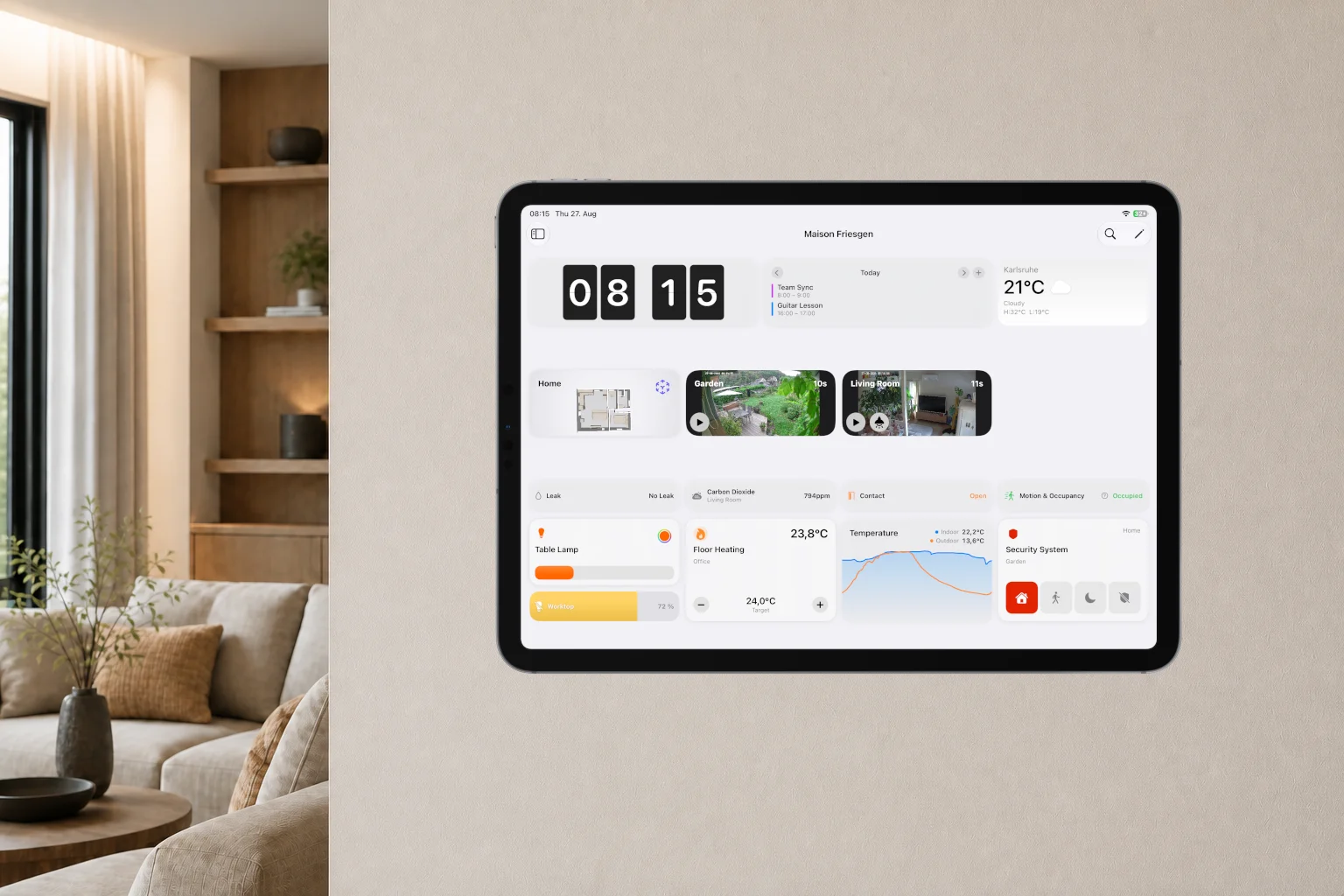
Dashboards
Build your own dashboard.
A dashboard is a view you compose from tiles – per home, per person and per device. Tiles for the time, lights, heating, sensors, cameras, scenes and workflows sit exactly where you need them.
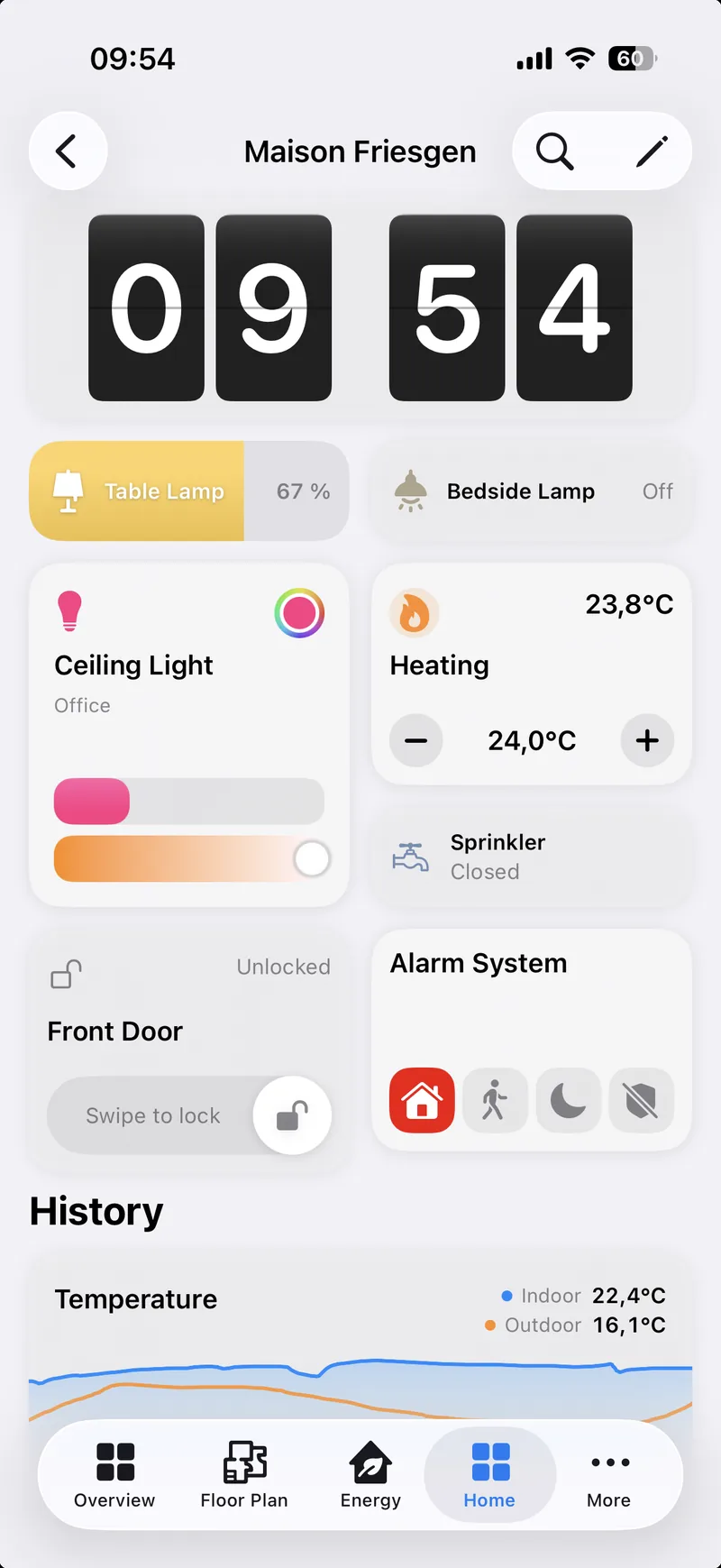
Tiles
Choose from more than 25 variants.
Devices, scenes, workflows, time, weather, calendar, charts, battery warnings. In five sizes, arranged however you like.
- Light
- Switch
- Slider
- Mode
- Thermostat
- Curtain
- Lock
- Fan
- Valve
- Security
- Camera
- Group
- Device property
- Sensor
- Scene
- Workflow
- State
- Clock
- Calendar
- Reminders
- Weather
- Value
- Chart
- Battery warnings
- Controller Hub
- Floor plan
- Room
- Text
- Open view
And many more
Visibility
Give your tiles conditions.
Time, weekday, date, sun position, weather, calendar, states or the value of a device. It works for a single tile just as it does for a whole section.
They are the same conditions you know from workflows.
Living room
18.0 °C
- Ceiling light65 %
- Good Morning
- Appears from 23 °C
Create with AI
Let AI build your dashboard.
One sentence is enough. Controller creates the sections and tiles. The result is ready to use straight away and stays fully editable.
Describe your dashboard
All lights and b
Result
Lights
Floor lamp
Blinds
70 % open
Blind
2 sections, 3 tiles
Search
Find everything in Controller.
Devices, rooms, scenes, workflows, floor plans, even settings. And search finds things by their content: a scene by the lamp in it, a workflow by the device it switches.
Alarm system
Devices
Alarm systemArmed (home)
Scenes
Good night
Leaving
Neither scene is called "Alarm system". They are found through the device they switch.
Home Sharing
Share your home with your family.
For each person you decide: the whole setup with dashboards, workflows, floor plans and widgets, or only the dashboards you release to them.
DYou
HomeLiving Room+3
- Ceiling light
- Thermostat
- Front door
- Blind
Dashboards · Workflows · Floor plans · Widgets
MMira
Living RoomEnergy
- Front door
- Floor lamp
- Thermostat
- Ceiling light
Dashboards · Workflows · Floor plans · Widgets
JJonas
- Ceiling light
- Blind
- Floor lamp
- Thermostat
For anyone who only gets the dashboards, they are the whole app. No menu, no settings, nothing that gets changed by accident.
You invite people with a code. What gets shared is the Controller setup, not HomeKit access: for the people you live with to see accessories and rooms, you also invite them in the Apple Home app. Your Apple Home itself stays untouched.
One more thing
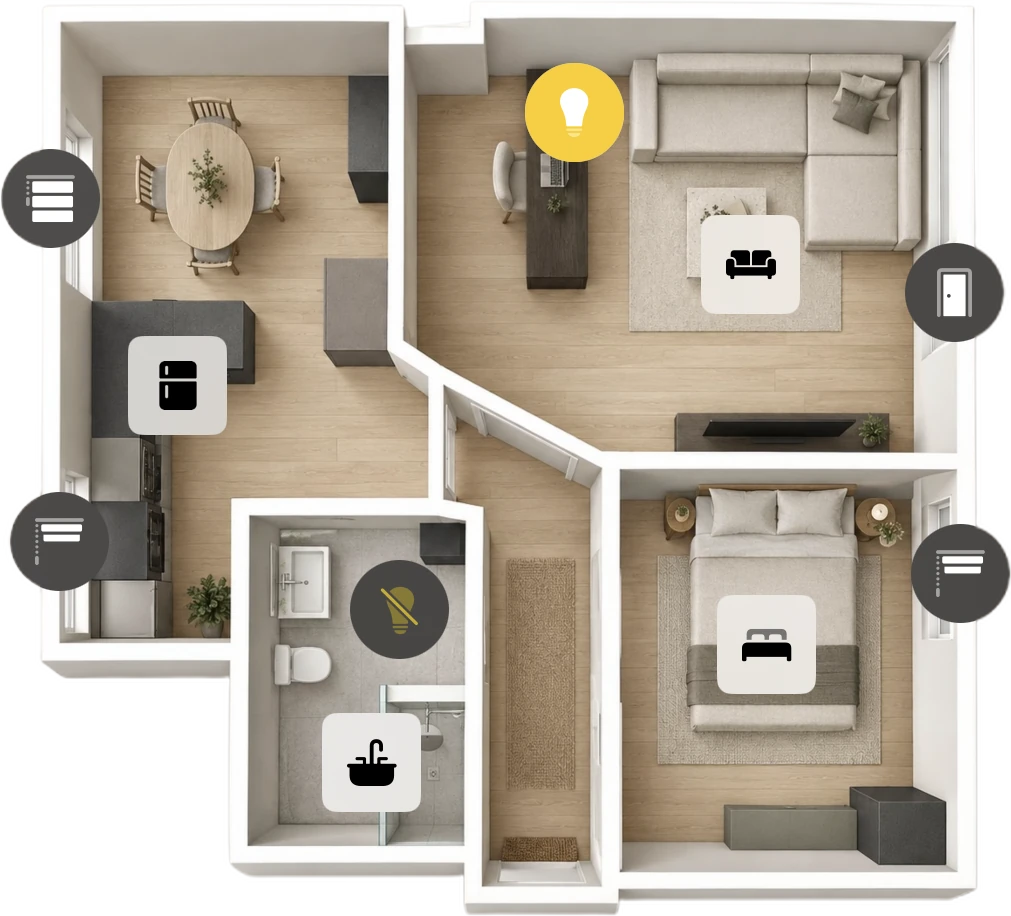
Your floor plan. Now as an image.
Use your own image as a floor plan, such as a photo, a drawing or the plan from your architect, and place your devices on it. No LiDAR sensor needed.
And more
What else is new.
3D floor plan in light and dark
In Dark Mode, the 3D floor plan now turns dark too, with colors tuned for it.
New gestures in the 3D floor plan
Rotate and zoom at the same time, and tilt the view further with two fingers.
“Open Dashboard” widget
Open any dashboard straight from your Home Screen. No widget configuration in the app needed.
Manage States
Sort your states, mark favorites, give them an icon or delete them.
Zones and Service Groups
Sort the rooms in a zone and select several at once. In Service Groups, you set the order of the devices.
Your home loads faster
You’ll notice it most in large homes with a Controller Hub. And coming back to the app no longer means waiting for everything to reload.
Dashboards and Home Sharing. Available for everyone.
Family Sharing
Subscription or Lifetime: your purchase covers up to six Apple Family members. At no extra cost.